
MT4 외환 브로커
최고 등급의 MT4 외환 브로커와 함께 원활한 외환 거래를 경험해 보세요. 당사의 MetaTrader 4 플랫폼은 강력한 분석 도구, 빠른 체결, 사용자 친화적인 내비게이션을 결합하여 자신감 있게 거래할 수 있도록 돕습니다. 계좌를 개설하고 트레이더들이 MT4 외환 브로커로 TIOmarkets를 선택하는 이유를 확인해 보세요.
거래는 위험합니다
MT4 외환 브로커로 TIOmarkets를 선택해야 하는 이유
MetaTrader 4(MT4)는 전 세계에서 가장 인기 있는 리테일 트레이딩 플랫폼 중 하나입니다. TIOmarkets를 전담 MT4 외환 브로커로 선택하면, 시장을 효과적으로 탐색하는 데 필요한 모든 것을 제공합니다:
MT4 트레이딩 플랫폼 기능
MT4 플랫폼은 거래 경험을 향상시키기 위해 설계된 포괄적인 트레이딩 도구 모음을 제공합니다:
- ✓잠재적인 거래 기회를 식별하는 데 도움이 되는 30개 이상의 내장 기술 지표
- ✓1분부터 월간 보기까지 다양한 차트 타임프레임으로 완전한 시장 분석 지원
- ✓기회가 발생했을 때 즉시 체결할 수 있는 원클릭 거래
- ✓거래 스타일과 선호도에 맞게 조정 가능한 사용자 지정 인터페이스
- ✓EA(Expert Advisors)를 통한 자동매매 기능
경쟁력 있는 거래 조건
당사의 MT4 외환 브로커 서비스는 다음을 포함한 모든 시장 상황에서 효율적으로 거래할 수 있도록 보장합니다:
- ✓타이트한 스프레드 - Raw spread 계정에서 0.0핍부터 외환을 거래하세요.
- ✓빠른 체결 - 최소 슬리피지로 밀리초 단위의 빠르고 효율적인 주문 체결을 경험하세요
- ✓제로 커미션 옵션 - 거래에 커미션이 없는 계정을 선택하세요
- ✓낮은 최소 입금액 - Standard 계정에서 단 $20부터 거래를 시작하세요
- ✓30% 로열티 입금 보너스 - 매 입금마다 추가 마진으로 거래 파워를 강화하세요
다양한 거래 스타일에 맞춘 가격 정책
가입 후 Standard 계정이 자동으로 생성됩니다 동일한 사용자 프로필에서 언제든지 Raw 및 VIP Black 계정을 개설할 수 있습니다
기준
수수료가 없는 변동 스프레드 거래 계좌
1.1
$0
무제한
$20
날것의
변동 스프레드와 낮은 수수료로 거래하세요
0.0
$6
최대 1:500
$250
VIP 블랙
낮은 변동 스프레드와 수수료 없이 거래하세요
0.3
$0
최대 1:500
$1,000
거래는 위험합니다
MT4 트레이딩 플랫폼 접근성
여러 기기에서 제공되는 당사의 MT4 외환 브로커 플랫폼으로 언제 어디서나 시장에 접근하세요:
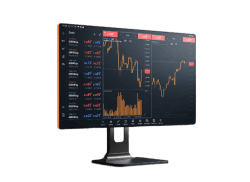
데스크톱용 MT4
Windows 또는 Mac용 풀-기능 MT4 데스크톱 애플리케이션을 다운로드하여 거래 및 분석 도구 전체를 이용하세요
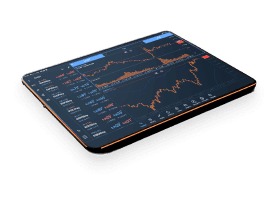
웹용 MT4
어떤 소프트웨어도 다운로드하지 않고 브라우저에서 바로 거래하세요 이동 중에도 어떤 컴퓨터에서든 거래하기에 적합합니다
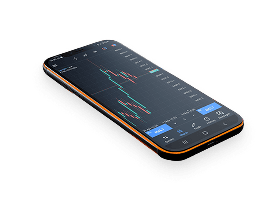
MT4 모바일 트레이딩 앱
iOS 및 Android 기기용 TIOmarkets MT4 모바일 앱으로 시장과 항상 연결 상태를 유지하세요 스마트폰 또는 태블릿에서 포지션을 모니터링하고 거래를 실행하며 시장을 분석할 수 있습니다
MT4 플랫폼 비교
기능/혜택
설치 필요
지원 OS
거래 주문
기술적 지표 및 오브젝트
차트 유형 및 타임프레임
알고리즘 트레이딩(EA & MQL5)
카피 트레이딩
실시간 시장 데이터
금융 뉴스 및 알림
원클릭 거래
전략 테스터 / 백테스팅
VPS(가상 사설 서버)
접근성
보안
데스크톱
예
Windows, macOS
전체 주문 유형(시장가, 지정가, 스톱, 트레일링 스톱)
30개 지표, 24개 그래픽 오브젝트 + 커스텀 지표
9개 타임프레임, 다양한 차트 유형(캔들스틱, 바 등...)
예
예
예
예
예
예
예
데스크톱 컴퓨터
높음(로컬 설치)
웹
아니요
최신 브라우저가 있는 어떤 기기든
전체 세트
지표 30개, 그래픽 오브젝트 24개
9개 타임프레임, 3가지 차트 유형
아니요
아니요
예
제한적
예
아니요
아니요
인터넷 브라우저가 있는 모든 기기
보안 암호화된 웹 데이터
모바일
예(앱 다운로드)
iOS, Android
전체 세트
지표 30개, 그래픽 오브젝트 24개
9개 타임프레임, 3가지 차트 유형
제한적(EA 실행 불가)
아니요
예
예
예
아니요
아니요
스마트폰 및 태블릿
보안 암호화된 웹 데이터
MT4로 거래하는 주요 장점
타의 추종을 불허하는 신뢰성
2005년에 출시된 이후 MetaTrader 4는 외환 거래 업계의 표준으로 자리 잡았습니다. 안정성과 성능에 대한 검증된 실적으로 초보자와 전문 트레이더 모두에게 인기 있는 선택입니다.
강력한 기술적 분석
플랫폼의 종합적인 차트 기능과 기술 지표를 통해 심층적인 시장 분석이 가능합니다:
- ✓여러 차트 레이아웃을 생성
- ✓다양한 기술적 연구를 적용
- ✓잠재적 진입 및 청산 지점을 식별
- ✓트레이딩 전략을 개발 및 테스트
자동매매 기능
MT4의 가장 강력한 기능 중 하나는 Expert Advisors(EA)를 통한 자동매매 지원입니다:
- ✓사전 프로그래밍된 트레이딩 전략을 실행
- ✓감정적 거래 결정을 배제
- ✓화면을 떠나 있어도 24/5 거래
- ✓과거 데이터로 전략을 백테스트
글로벌 커뮤니티 및 리소스
MT4 외환 브로커로서, 저희는 방대한 리소스 생태계와의 연결을 제공합니다:
- ✓수천 개의 커스텀 지표 및 EA
- ✓전략 공유를 위한 활성 커뮤니티 포럼
- ✓MT4 트레이딩에 특화된 교육 자료
- ✓정기적인 플랫폼 업데이트 및 개선
MT4 외환 브로커와 함께 거래를 시작하세요
작동 방식은 이렇습니다.

단계 1
등록하다
프로필 작성을 완료하고 계정을 만드세요. 몇 분밖에 걸리지 않습니다.

단계 2
확인하다
출금 전에 신분증과 주소 증명 서류를 업로드해 주세요.

단계 3
축적
편리한 국내/국제 방법 중에서 선택하고 즉시 입금하세요

단계 4
거래
플랫폼을 다운로드하고, 계좌에 자금을 이체하고, 로그인하여 거래를 시작하세요.
거래는 위험합니다
안심하고 입금하고 출금하세요
계좌 입금은 편리하고 안전합니다













일부 방식에서는 즉시 무료로 입금할 수 있습니다. 처리 시간은 국가 및 방식에 따라 달라질 수 있습니다. 출금 요청은 일반적으로 영업일 1일 이내에 처리되며, 원래 입금 방식으로 반환됩니다.
더 알아보기시작할 준비가 되셨나요?
170개 이상의 국가에서 개설된 270,000+개의 계정에 합류하여 트레이더들이 신뢰할 수 있는 거래 파트너로 TIOmarkets를 선택하는 이유를 알아보세요.
Based on 48 reviews

James Laplante
I switched after lots of slippage on another brokers platform So far i...
5개월 전
Read more reviews >Roy Isaac
VIP 블랙의 스프레드가 마음에 드네요. 저 같은 스캘퍼에게 아주 좋습니다👍
6개월 전
Candice Garten
The platform is intuitive and provides clear trading data. Suppo...
7개월 전
거래는 위험합니다
FAQs
왜 MT4 외환 브로커로 TIOmarkets를 선택해야 하나요?
TIOmarkets는 경쟁력 있는 거래 조건, 유연한 레버리지 옵션, 그리고 스탠다드 계좌에 입금할 때마다 제공되는 30% 로열티 입금 보너스 덕분에 MT4 외환 브로커로서 훌륭한 선택입니다.
TIOmarkets와 함께 MT4에서 어떤 시장을 거래할 수 있나요?
TIOmarkets를 MT4 외환 브로커로 이용하면 하나의 플랫폼에서 외환, 지수, 원자재, 주식, 암호화폐를 모두 거래할 수 있습니다. 이러한 멀티자산 기능은 MT4를 다목적 트레이딩 선택지로 만들어 줍니다.
MT4는 초보자에게 적합한가요?
네. 고급 기능을 갖추고 있음에도 MT4는 직관적인 인터페이스를 제공하여 초보자도 빠르게 배울 수 있습니다. 신규 트레이더를 위한 교육 자료를 제공하며, 데모 계좌를 통해 실제 자금을 위험에 노출하지 않고 연습할 수 있습니다.
MT4에서 Expert Advisors(EA)를 사용할 수 있나요?
물론입니다. MT4는 EA를 통한 자동매매를 지원합니다. MQL4 프로그래밍 언어로 직접 EA를 만들거나, MetaQuotes 마켓플레이스에서 준비된 EA를 구매하거나, 플랫폼과 호환되는 서드파티 솔루션을 사용할 수 있습니다.
MT4는 어떻게 다운로드하고 설치하나요?
계정을 등록한 후 고객 포털에서 MT4를 다운로드할 수 있습니다. MT4는 Windows, Mac, iOS, Android 기기에서 이용 가능합니다.


