


MT5 AI Trading
Connect compatible AI agents and LLM-powered apps to MetaTrader 5 through MetaQuotes' native Model Context Protocol (MCP). With a TIOmarkets MT5 account, analyse markets, develop systematic strategies and place or manage trades with AI.
Trading is risky
What is MT5 AI trading?
MT5 AI trading lets you use artificial intelligence to analyse markets, develop trading strategies and automate trading tasks through MetaTrader 5.
Connect a compatible AI agent or LLM to analyse market data, identify potential trading opportunities, monitor open positions and execute or manage trades. This can help streamline market analysis, reduce manual work and bring greater consistency to your trading process.
MetaQuotes' native MCP technology connects your AI agent to MT5, while your TIOmarkets account provides market access. You control whether AI can analyse, request approval or execute trades automatically.
What can an AI agent do in MetaTrader 5?

Analyse market information
Retrieve quotes, price history and symbol details, then ask the agent to compare markets or summarise conditions. Spend less time collecting inputs and more time checking the analysis.

Manage open positions
Inspect available account details, exposure, open positions and trade history to review how a defined strategy is behaving according to your trading plan.

Place and manage trades
When trading is enabled, use supported tools to submit orders, change stop-loss or take-profit levels, and close positions. Trade execution remains subject to your permissions, platform settings and market conditions.

Build systematic trading strategies
Use AI to turn trading ideas into rules-based strategies. Develop and refine trading robots, automate entry and exit rules, and bring greater consistency and discipline to your trading process.
You decide what the AI agent can do
MT5 lets you choose how AI trading is handled.

Analysis only
Keep AI trading disabled while using market analysis to support decision making.

Confirmation required
Review and approve AI-initiated trading actions before execution.

Trading allowed
Permit trading actions without approving every order, while monitoring all activity.

How to connect an AI agent to MT5
Open a TIOmarkets MT5 account and install or update a supported MT5 desktop terminal.
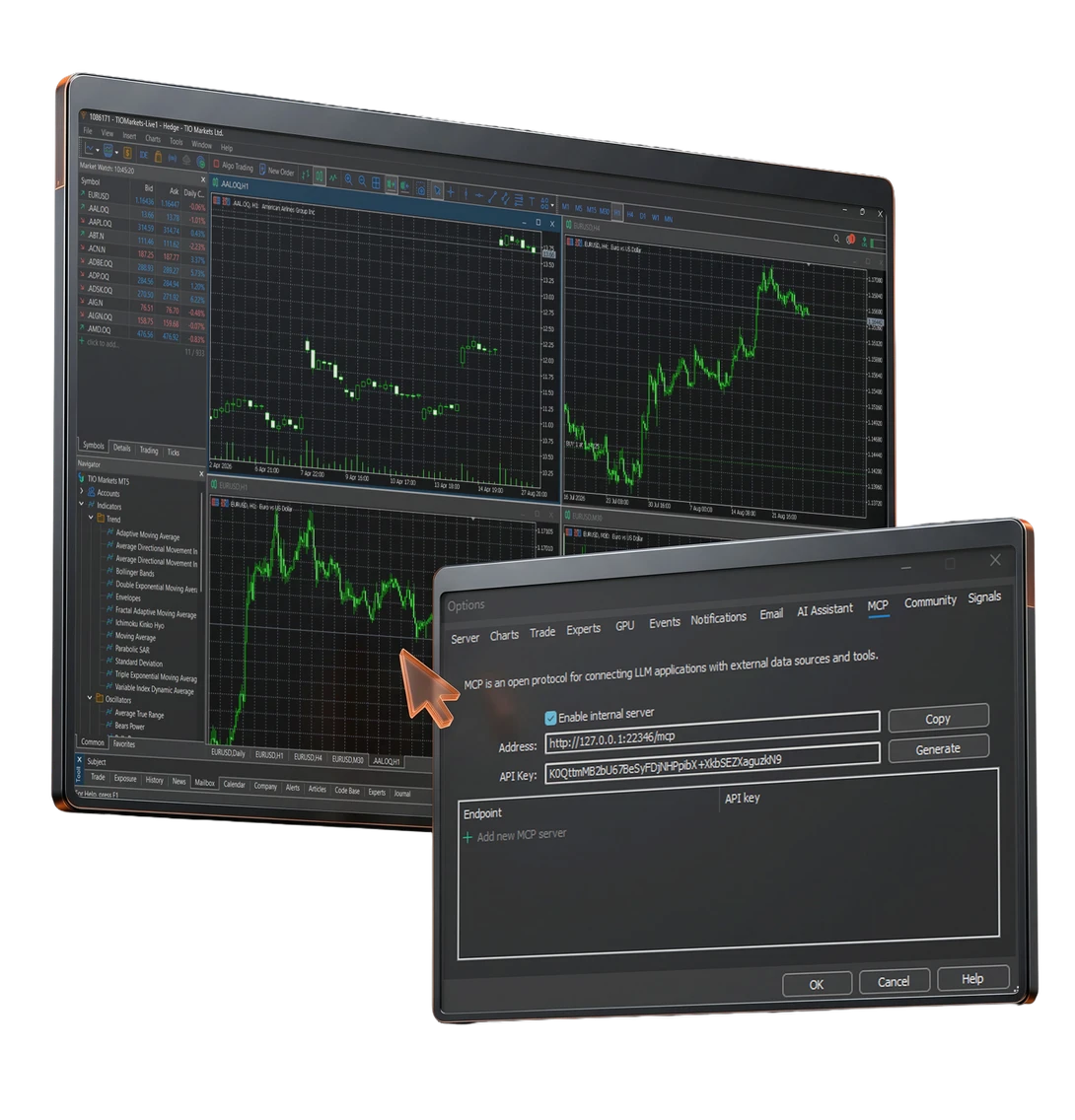
Configure the terminal's AI/MCP settings and set the trading permissions you want.
Connect an MCP-compatible AI client using the endpoint and authentication details from MT5.
Test market-data requests first; verify trade parameters and monitoring before enabling execution.
Frequently asked questions
Can an AI agent place trades in MT5?
Yes. With trading enabled, compatible AI agents can place and manage orders through supported MT5 tools. You can also require confirmation before trading actions or disable AI-initiated trading entirely.
Is native MCP the same as an MT5 Expert Advisor?
No. MCP connects AI agents to MT5 tools, while an Expert Advisor runs programmed MQL5 rules inside the platform. They can complement each other and both can be used in a systematic trading workflow, but they have different capabilities and risks.
Does TIOmarkets provide the AI model?
TIOmarkets provides MT5 trading account access, while MetaQuotes provides the built-in AI Assistant and native MCP connectivity. You can use the default AI Assistant model, configure a supported third-party AI provider, or connect a compatible external AI agent through MCP.
Can I keep AI trading disabled?
Yes. MetaTrader 5 allows you to restrict AI-initiated trading, require approval for trading actions, or allow it. Check separate web, shell and MCP access settings as appropriate.
Connect your AI agent to MT5 with TIOmarkets
Put AI to work in your trading workflow. Open a TIOmarkets MT5 account and connect a compatible AI agent or LLM through MetaQuotes' native MCP. Analyse markets, develop systematic trading strategies and manage trades with permissions you control.
Trading is risky


44 reviews